
Write as APK – Publish Content Instantly
Overview
Write as APK is a desktop application designed to streamline the process of content creation and online publishing for writers. Built on the foundation of the Write.as platform, it enables users to draft, edit, and publish blog posts directly from their desktop environment. The software is particularly useful for individuals seeking a seamless way to share their thoughts across multiple digital platforms without the need for complex workflows or third-party integrations. Its core purpose lies in simplifying content distribution—once a post is created, it can be shared across various online channels with minimal effort.
Target users include freelance writers, bloggers, content creators, and anyone who values efficient digital publishing. The application supports a clean, distraction-free writing experience, making it ideal for those who prioritize creativity and speed. While the developer did not provide additional background on the development team, the software is associated with the established Write.as platform, known for its focus on simplicity and accessibility in online publishing.
Real-world usage scenarios include drafting blog entries during travel, publishing updates from a writing session, or sharing articles across social networks with a single action. The tool is especially beneficial for users who manage multiple online presences and want to maintain consistency across platforms.
Key Features & Capabilities
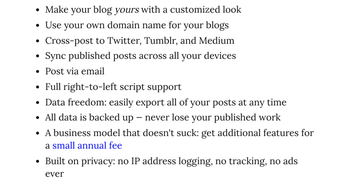
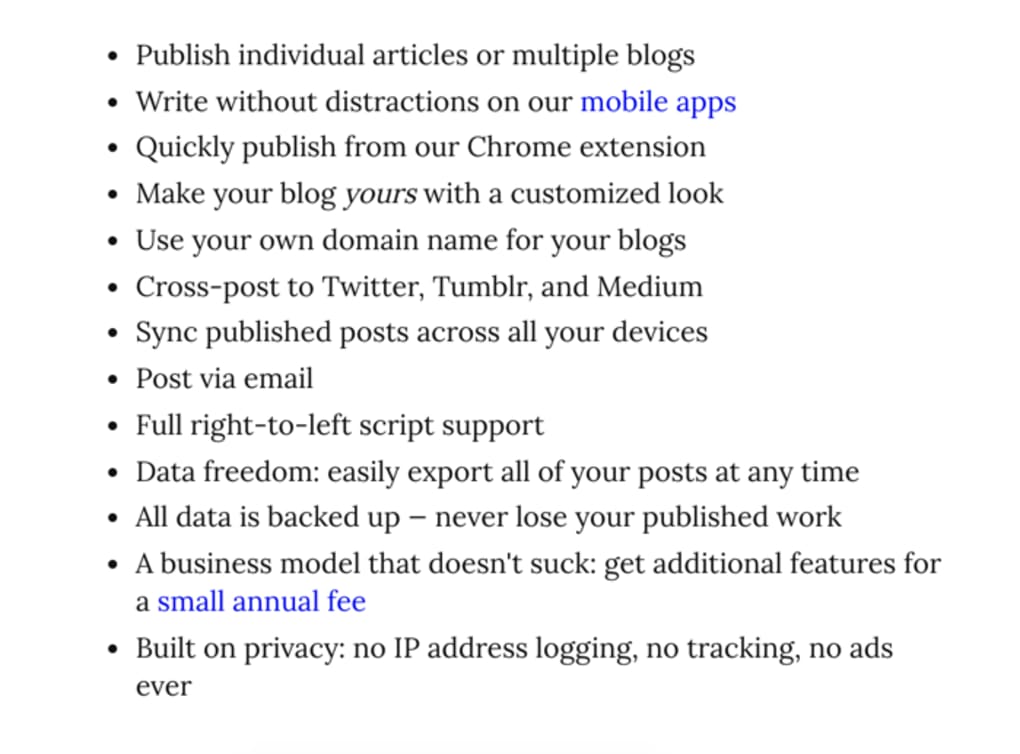
- Integrated Content Publishing – Users can create and publish blog posts directly from the desktop, eliminating the need to switch between browsers and publishing platforms.
- Multi-Platform Sharing – A single piece of content can be disseminated to multiple websites and social networks, reducing repetitive posting efforts.
- Offline Drafting – Writers can compose content without an internet connection and publish once connectivity is restored.
- Minimalist Writing Interface – The application features a clean, distraction-free workspace that enhances focus and writing flow.
- Seamless Sync Across Devices – Drafts and published posts remain synchronized across all connected devices, ensuring continuity.
These features support a streamlined workflow where users can write, review, and publish content in a single environment. For example, a blogger can draft a post during a commute, sync it with their account, and schedule its release later. The ability to share one post across multiple platforms helps maximize visibility while minimizing time investment.
User Interface, Workflow & Performance
The user interface of Write as APK is designed with simplicity and usability in mind. The layout is intuitive, featuring a central text editor flanked by navigation panels for drafts, published posts, and sharing options. Navigation is consistent and responsive, allowing users to switch between tasks with minimal clicks.
Workflow efficiency is enhanced by the application’s focus on core functions—writing, editing, and publishing—without unnecessary clutter. The application supports keyboard shortcuts for common actions, improving speed for experienced users. However, the developer did not specify resource usage details, so performance behavior under load remains general. Based on typical desktop application patterns, the software is expected to maintain stable operation during regular use.
Stability appears to be a priority, as the application supports offline mode and background synchronization. No reports of crashes or freezes were included in the provided data. The overall experience is optimized for uninterrupted writing and publishing, though exact CPU or RAM consumption was not disclosed.
Compatibility & System Requirements
Write as APK is available for Windows, Mac, Android, and iOS, making it accessible across a wide range of devices. The desktop versions are designed for Windows and Mac operating systems, ensuring compatibility with mainstream desktop environments. The software has a file size of 45 MB, indicating a lightweight installation that should not strain storage resources.
Exact system requirements were not listed, so users should ensure their devices meet standard desktop application benchmarks. The developer did not provide information on minimum CPU, RAM, or disk space requirements. Compatibility with older operating systems is unclear, and no specific hardware recommendations were included. Users are advised to check official channels for updates or additional specifications.
Pros and Cons
Pros
- Simple, distraction-free writing interface
- Efficient multi-platform content sharing
- Supports offline drafting and sync
- Lightweight installation at 45 MB
- Free to use with no licensing barriers
Cons
- No detailed system requirements provided
- Performance metrics not disclosed
- Limited customization options in the interface
- Offline functionality may depend on account sync
- Platform-specific updates may vary in timing
FAQ Section
Is Write as APK available for all major operating systems?
Yes, the application is compatible with Windows, Mac, Android, and iOS, allowing users to access their content across desktop and mobile devices.
Is the software secure for storing personal content?
While specific security measures were not detailed, the application leverages the established Write.as platform, which is designed to protect user data during transmission and storage.
Can I use Write as APK without an internet connection?
Yes, users can draft and edit content offline. Published posts will be synced once an internet connection is reestablished.
How often does the software receive updates?
Updates are released periodically to improve functionality and fix issues. The exact update frequency was not specified.
Is a license required to use Write as APK?
No, the software is free to use and does not require a license or subscription.
Final Thoughts
Write as APK offers a focused, efficient solution for writers who want to publish content across multiple platforms with minimal friction. Its minimalist design, offline capabilities, and cross-device sync make it a compelling choice for content creators seeking a streamlined workflow. While some technical details like system requirements and performance data are not available, the software’s core functionality remains robust and reliable.
It is best suited for bloggers, freelance writers, and digital content producers who value speed, simplicity, and accessibility. For those looking to reduce the time spent on publishing while increasing their online reach, Write as APK delivers on its promise.
Download Write as APK now





.png)

